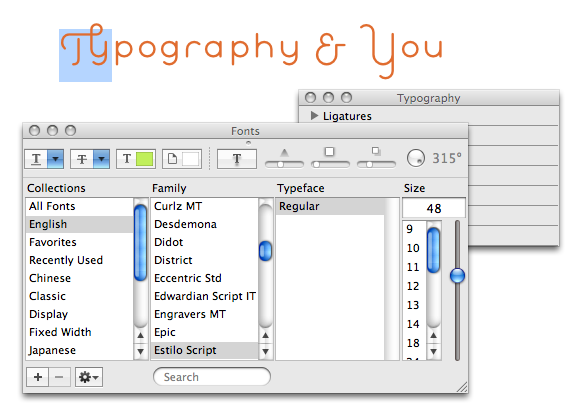
Just learned from PRINT Magazine that iLife and iWork have an OpenType palette. Though it seems you can’t access all open type features (e.g. stylistic alternatives), you can still get to ligatures, small caps and old style & lining figures.

To access the Typography palette: from the Fonts palette, click the gear icon in the lower-left and select Typography.

Oh, and don’t forget the Glyphs palette in Illustrator & InDesign

Enjoy

posted by sam grigg on Wednesday, Nov 05, 2008
tagged with typography, iwork, ilife, opentype


1 comment

Apparently there is also a bug with Mac OS X.5 for processing OpenType that may also limit your available alternate glyphs. See http://www.typophile.com/node/51254 for info.

comment by Ben 5 hours later

Add your comment

:
:

Required but not shared.

:
:

Use HTML or Textile for formatting. Resize?

Foul language or excessive praise will be moderated.

Comment preview